縦組みのアルファベットは、下のルールで扱うことが多いです。
1 大文字だけの塊は、全角
例)SNS、NTT、X、A氏、AI、QRコード
2 小文字が混ざる塊は、半角
例)Facebook、Twitter、Pinterest、Who、Where、When
例)It’s up to you.(英文)
例)https://tabichin2.dtp.to(URL)
作業は、
①Wordで、すべてのアルファベットを半角にする
②InDesignで、大文字の塊を探して、全角に変換する
そこで検索↓
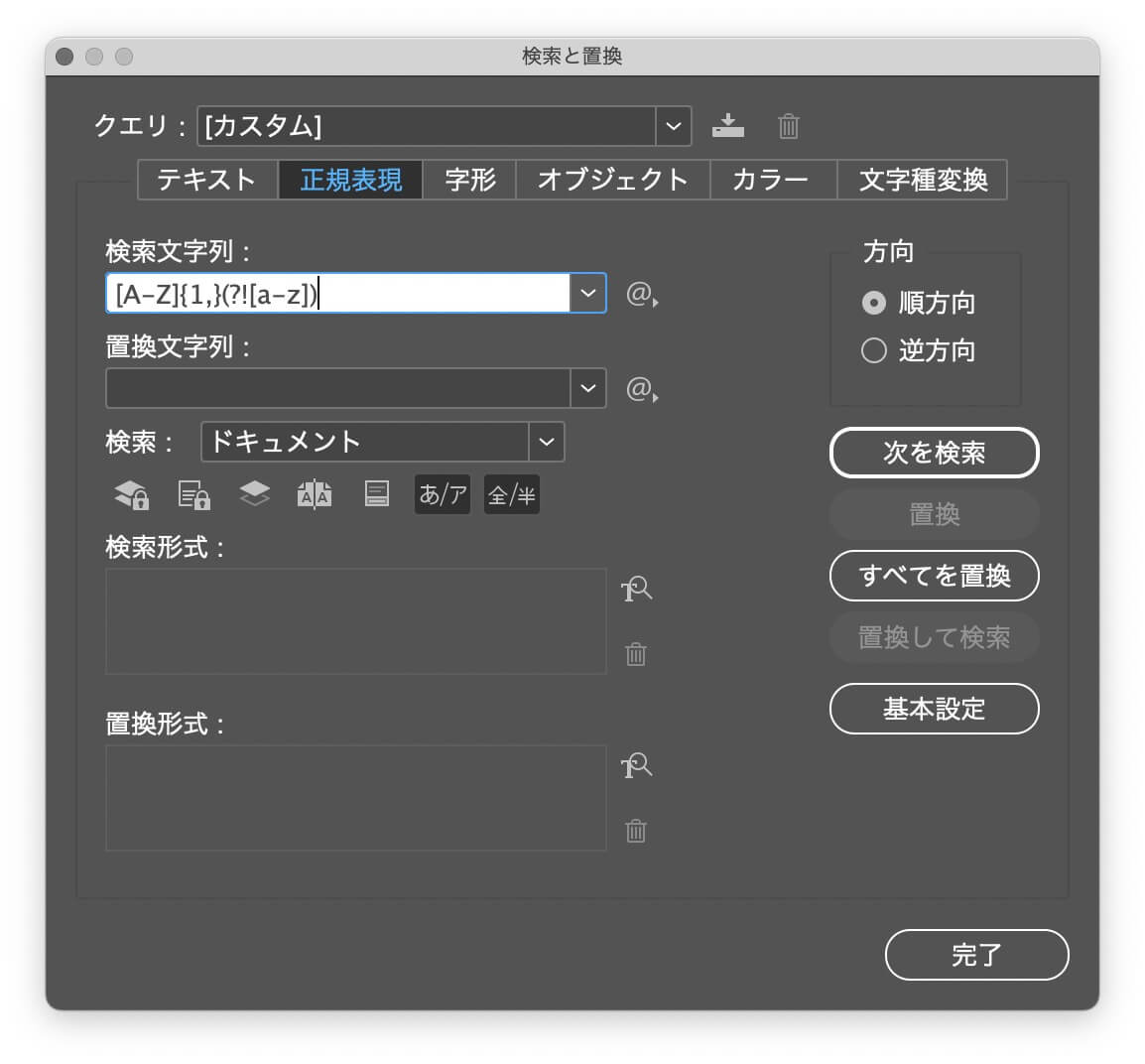
あるいは、
①すべてのアルファベット全角に変換
②小文字を探して、その塊を半角に変換
こっちの方がいいかな?
Warning: Undefined array key "images" in /home/typeface/dtp.to/public_html/design44/wp-content/plugins/comment-image/plugin.php on line 29
大文字・小文字の区別を有効にするのではダメなのですか?
Warning: Undefined array key "images" in /home/typeface/dtp.to/public_html/design44/wp-content/plugins/comment-image/plugin.php on line 29
sansan hoihoiさん、コメントありがとうございます。
記事を書き直しました。
これでわかりますかね?
Warning: Undefined array key "images" in /home/typeface/dtp.to/public_html/design44/wp-content/plugins/comment-image/plugin.php on line 29
ところで、「大文字・小文字の区別を有効にする」という機能が、どこかにありますか?